



⭐️⭐️⭐️⭐️⭐️
“The Jamcorder has completely changed how I make music… It captures creativity in its purest form… I can’t imagine writing music without it now.”
Sharon Deuerbach2025

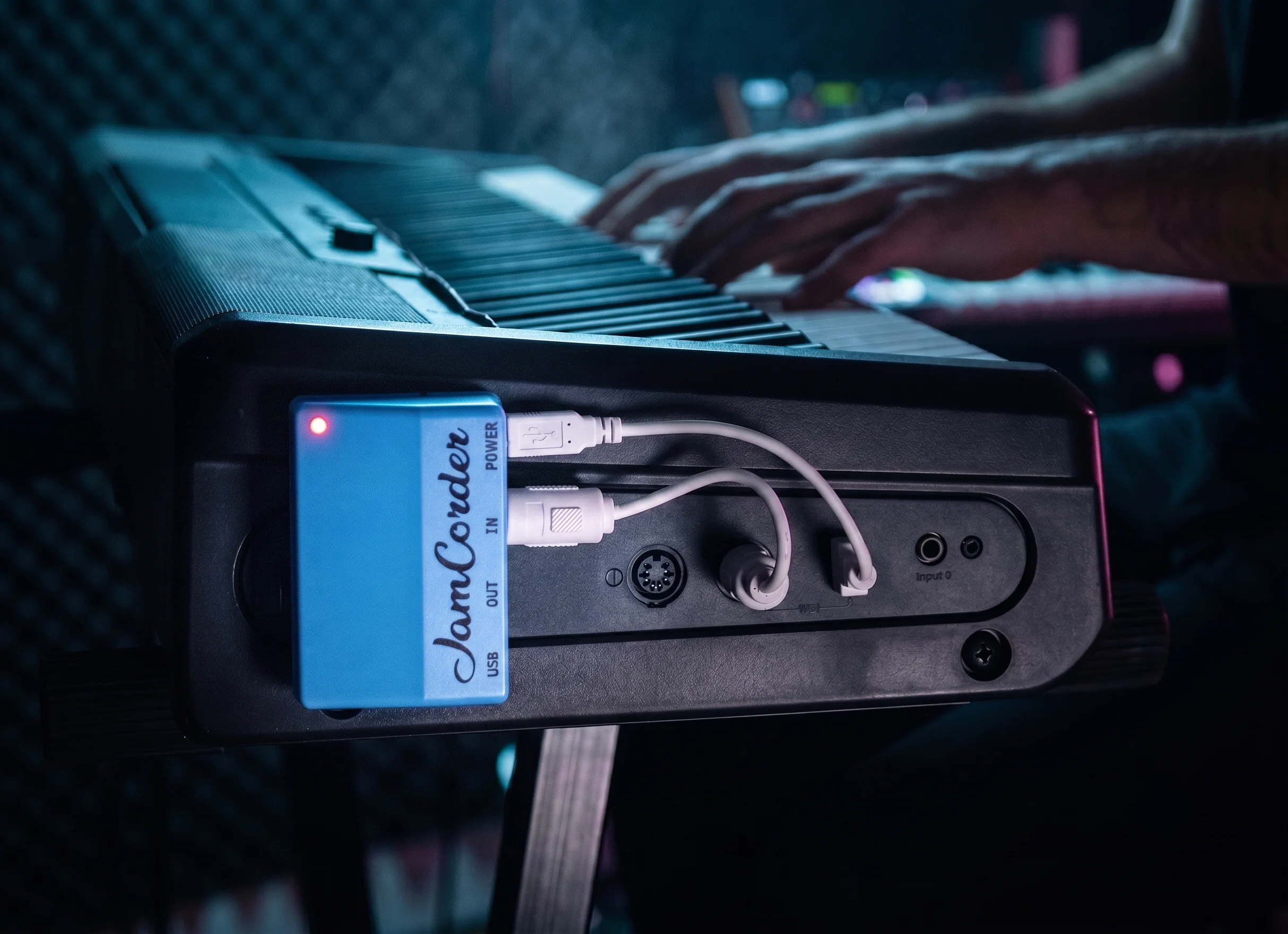
Have you ever thought, “wow, I wish I recorded that”? With Jamcorder, you did. Jamcorder is a tiny device you attach to your digital piano that quietly captures everything you play — effortlessly, for life. With automatic play detection and over 25,000 hours of included storage, that’s 3 non-stop years of music, it turns everyday practice into visible progress and a growing personal archive to revisit and share.
It's more than a recorder — it’s your journal of growth, ideas, and moods. Sit down, play, and every moment becomes part of your story, nudging you to play with more intention and focus. Once you try Jamcorder, you’ll never want to go back. It shows in our reviews.
Have you ever thought, “wow, I wish I recorded that”? With Jamcorder, you did. Jamcorder is a tiny device you attach to your digital piano that quietly captures everything you play — effortlessly, for life. With automatic play detection and over 25,000 hours of included storage, that’s 3 non-stop years of music, it turns everyday practice into visible progress and a growing personal archive to revisit, learn from, and share.
It's more than a recorder — it’s your journal of growth, ideas, and moods. Sit down, play, and every moment becomes part of your story, nudging you to play with more intention and focus. Once you try Jamcorder, you’ll never want to go back. It shows in our reviews.
Musicians often stumble into a great melody, chord progression, improv session, or song — then immediately forget it. Jamcorder solves the painful “I wish I recorded that” moment by making every session recoverable.
Jamcorder turns every practice session into something visual you can explore in seconds. See the notes you played, jump to any moment, and hear it back. Because the app makes it quick and easy to revisit your playing, you can enjoy seeing yourself improve—and that satisfaction makes you want to play more.
We play our best when we’re relaxed and not thinking about recording. Jamcorder records in the background without breaking your flow. For songwriters, improvisers, composers, and producers, this means your most natural, unfiltered playing is now available to turn into finished pieces.
Jamcorder makes it fast & easy to hear the things you often miss while playing — like sloppy rhythm, dynamics, wrong notes, messy pedal, poor harmony, or arrangement. Regularly listening to yourself is one of the simplest ways to become your own teacher and improve faster.
Jamcorder helps you build a collection of music you know well and enjoy playing, so you always have something ready when it’s time to perform.
Over the years, your recordings become a record of your musical life — songs you loved, ideas you forgot, phases you went through, and how your playing changed. Looking back is satisfying in its own right, and rediscovering old performances can inspire what you play next. With room for up to 25,000 hours or more, that history has plenty of space to grow.
Jamcorder stays out of your way — no turning it on, pressing record, or remembering to stop. Just leave it plugged in and play like you normally do. You’ll forget it’s even there until you need it.
just scroll back and hit play

see how you played, not just what

your music, automatically organized.
add bookmarks or labels, whenever helpful.

a collection you’ll love adding to

rack up hours. build your streaks. hit your goals

Jamcorder is great for capturing impromptu improvisations, tracking & reviewing practice sessions, and capturing strokes of genius so you can turn serendipitous ideas into finished compositions.
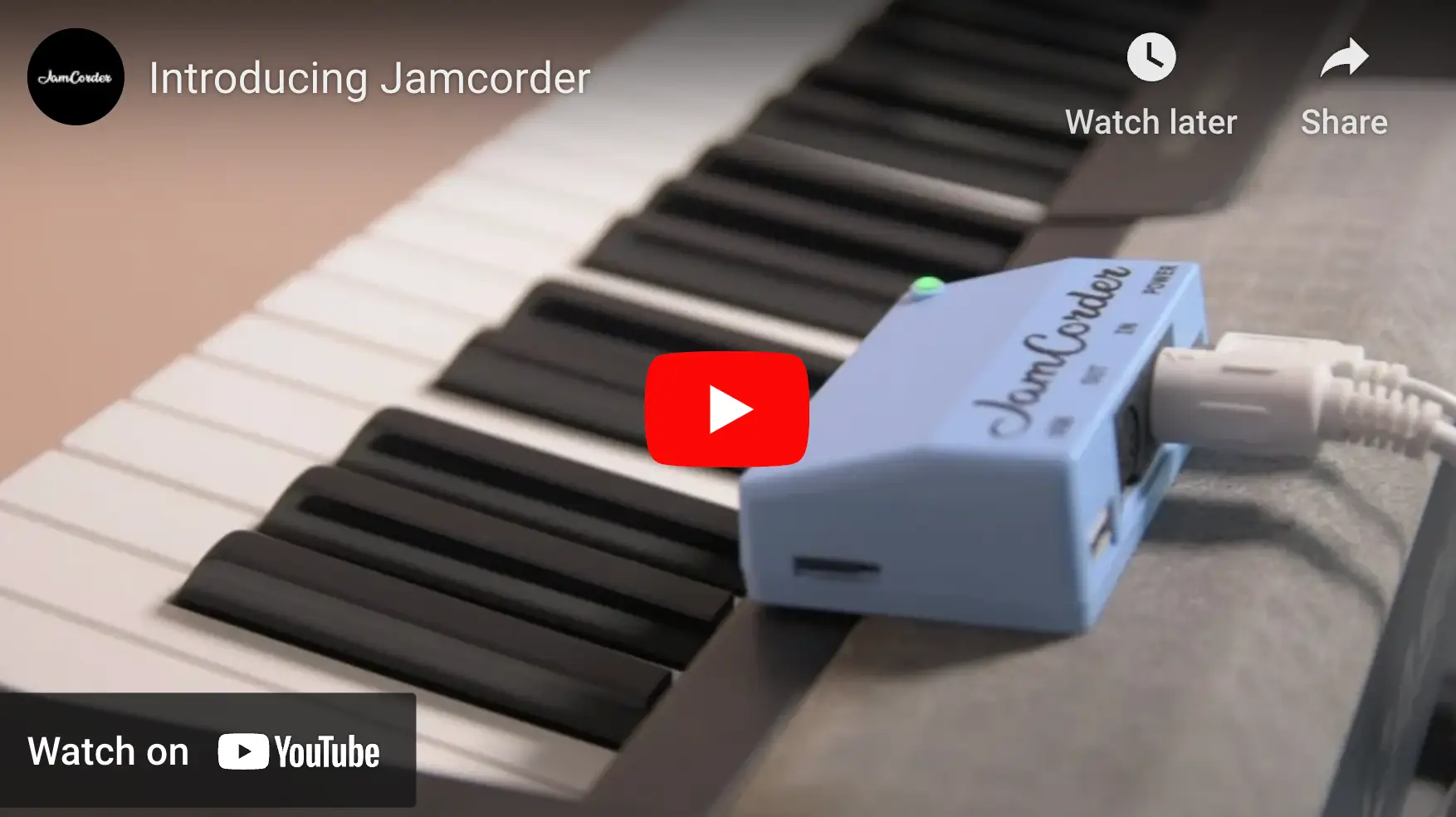
Unlike most recorders, Jamcorder doesn’t capture audio. Instead, Jamcorder plugs into your piano via MIDI, and transcribes every note you play — including its velocity — in MIDI format. These recordings sync to your phone via Bluetooth, or can be accessed via SD card without ever needing the app. This MIDI music format is tiny, letting 12 hours of music fit in the same space as one smartphone photo. Want to learn more? See our video.

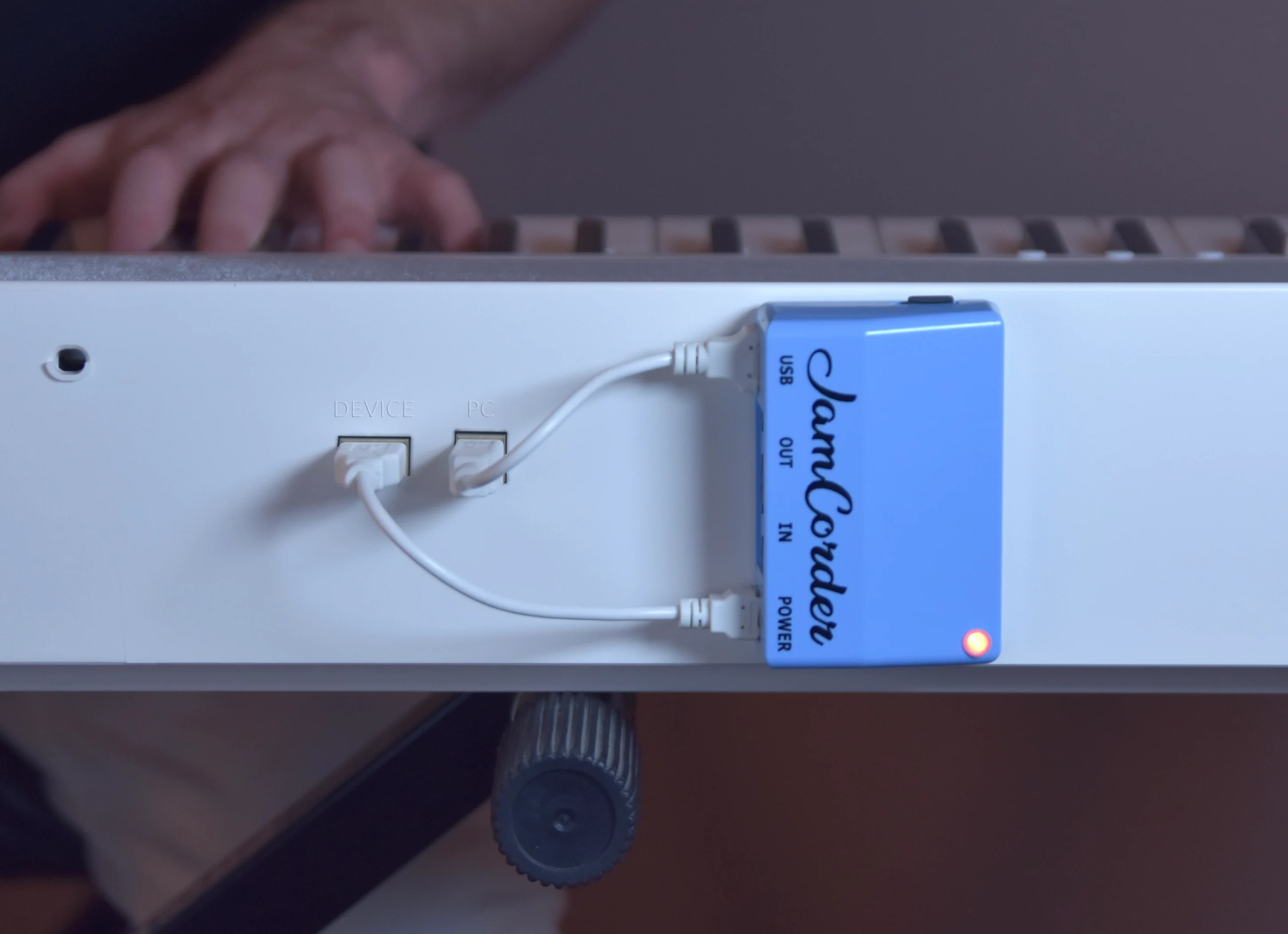
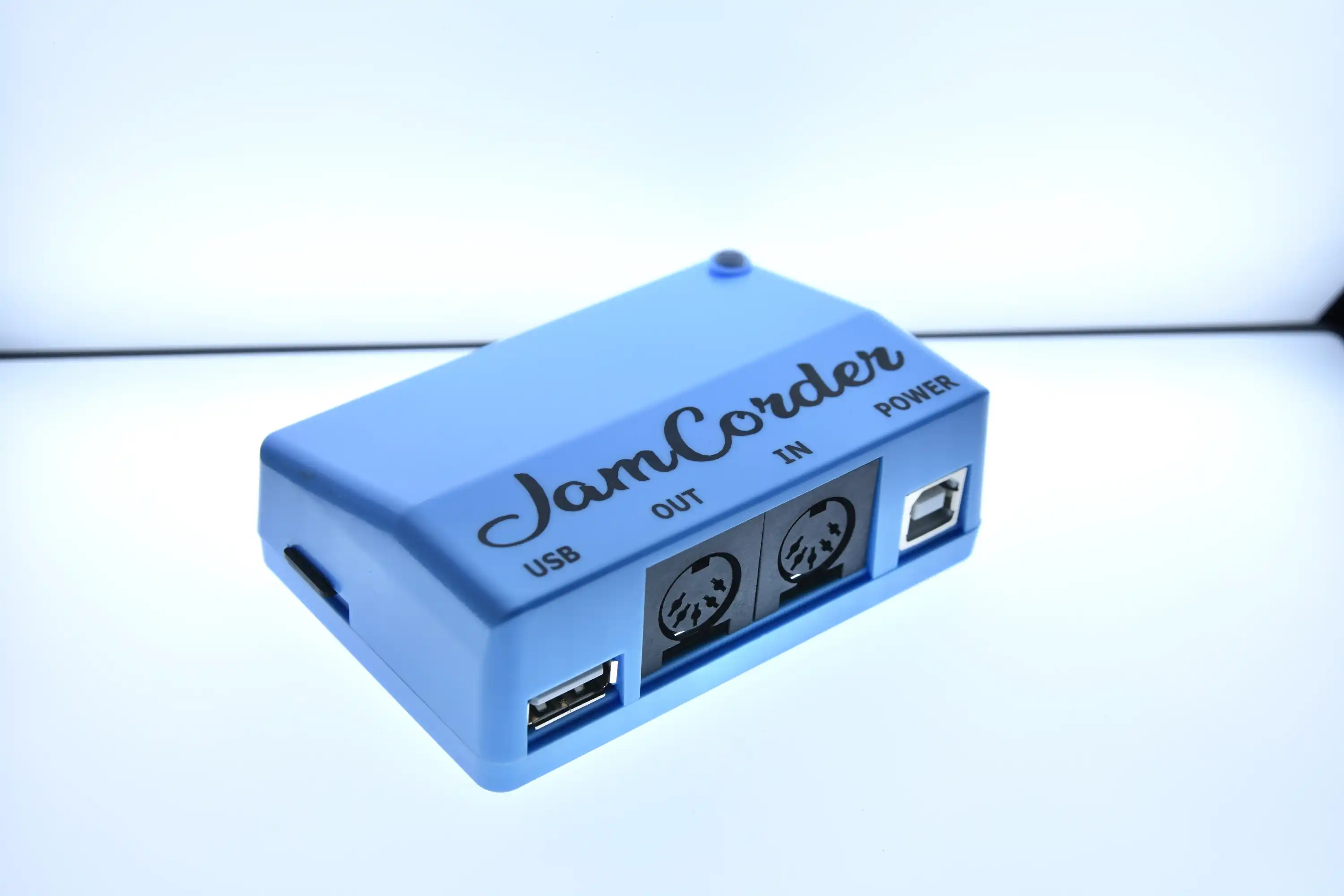
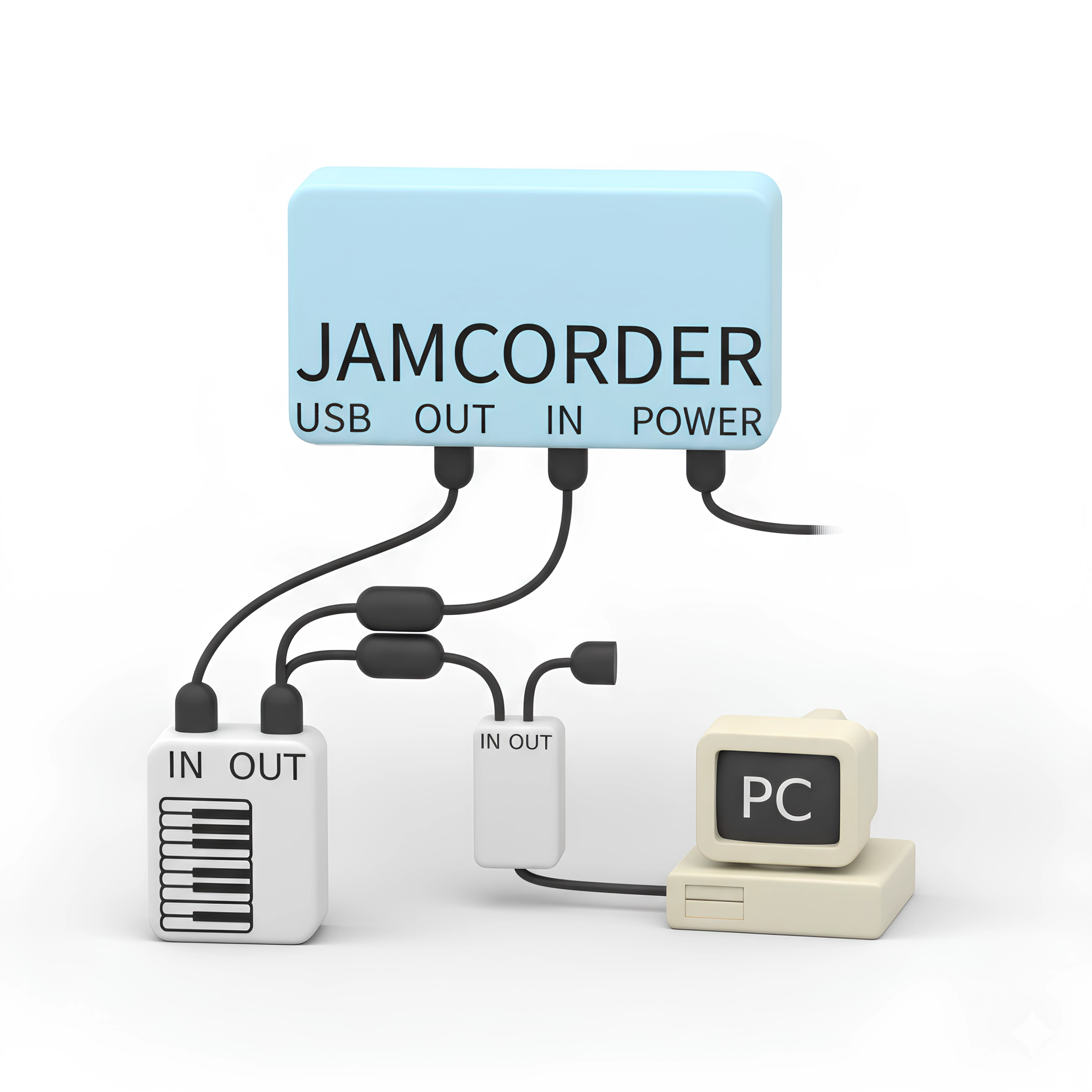
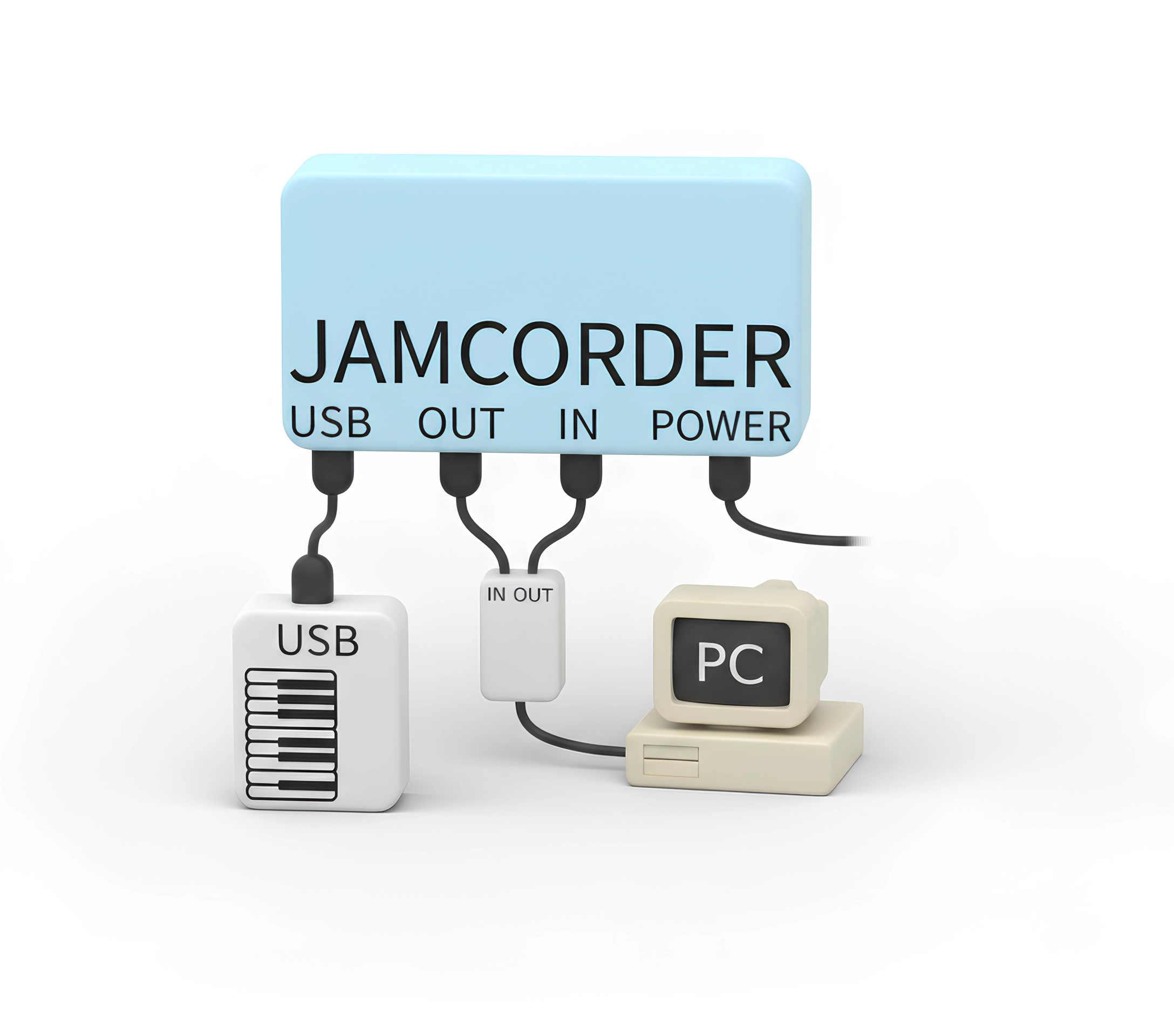
Jamcorder works with both USB and 5-pin MIDI pianos
starts & stops recording automatically
with the included 16GB SD card
recordings sync to your phone via Bluetooth
press the top 3 black keys twice anytime to leave a bookmark
add practice notes to any moment in your recordings
hear recordings on your piano's own speakers, via MIDI out
loop and play over your previous recordings
colors notes by how hard you played them, so you can train dynamics & control
play any MIDI file using the app
queue up music for your Disklavier or other player piano
play recordings on any nearby Bluetooth MIDI device
records standard MIDI files
records to microSD card
supports both USB and 5-pin MIDI pianos
no internet, no accounts, app is optional
configurable recording of all MIDI events across all 16 channels
fully replace the sounds used by the app
adds Bluetooth MIDI capability to your digital piano
35ms latency - playable
connect 5-pin MIDI equipment to your USB piano
access your recordings from any web browser
want to do something cool with your piano data? documentation
Export your entire library right from the app. It's your music. We don't lock it down.
only keystrokes are recorded
No. Jamcorder pauses recording after 3 seconds of silence by default, and resumes immediately when you start playing again with no lost notes. The original silences can also be restored later, if desired.
A traditional recorder, in reverse.
Jamcorder is the opposite of a traditional recorder. Instead of deciding what to capture
before you play, you decide what matters afterward by leaving a bookmark
or opening the app to make a clip.
You’ll usually know right away when something is worth coming back to, so you can mark it
then and there, without needing to sift through anything later.
This can actually mean less to go through: only the moments you felt good about are marked.
Explore whenever you want.
The rest of your playing is there for serendipitous exploration. Put on a day’s playing
and see what catches your ear. If you stumble on something you like, make a clip and add it to your library.
Your music is automatically organized by day, with sections you can jump between.
With background playback, you can listen in your car, on the train, at home, or while using other apps.
There’s nothing to keep up with. You just play and explore at your own pace whenever you feel like it.
Yes, it's completely free.
By default, Jamcorder uses “expressive” mode, which records notes, velocity, sustain & sostenuto pedals, program changes, aftertouch, pitch bend, and more across all 16 MIDI channels—everything most players need. If desired, it can also record SysEx, RPN, or any other MIDI event.
Events are recorded with 1-millisecond timing resolution.
Yes, simply unplug it. But it's recommended you instead shift your thinking — focus on playing, not recording, and use bookmarks if you want to manually highlight something. You can hide recordings and restore them anytime, or manually delete old recordings, if desired.
Yes. Just pop in a larger card. We recommend 64GB max, which can record about 100,000 hours or 11 straight years. We do not recommend going larger than 64GB as it is unnecessary and larger cards are typically less reliable.
No. You can access your recordings directly from the SD card. And with web-based setup you can even access recordings wirelessly or configure the device settings, all without the app.
Yes, with a separate Bluetooth MIDI adapter plugged into Jamcorder. Jamcorder’s built-in Bluetooth MIDI is meant for connecting to phones, tablets, and computers — not directly to a piano. But if you have a separate Bluetooth MIDI adapter you can record wirelessly that way.
Of course. First, export your recording as MIDI, then convert to sheet music with a 3rd party tool such as MuseScore, GarageBand, Melobytes, or many others!
Jamcorder works with nearly all MIDI pianos. There are a few exceptions, namely some early 2000s pianos and certain recent Yamaha CLP models, which require a USB host adapter. See the compatibility list.
It can still work with an adapter. You simply install a sensor bar below the keys. Here are some options: Adsilent, Bechstein, ProRecord, or QRS PNOScan. There are also acoustic pianos with built-in MIDI support, such as the Yamaha Disklavier and Kawai AnyTime.
No problem! You just need a USB-A → USB-C cable that supports data, not just charging. Here's one option, or browse more.
MIDI out lets Jamcorder send MIDI events to your piano.
This enables true piano playback — your recordings
play through your piano’s own speakers with the exact
same sound and expression. You can even tweak the tone live, or play along.
MIDI out is also used to send MIDI from a laptop,
tablet, or Bluetooth MIDI connection to your piano.
See here for more details.
It's used for factory reset, web-based setup, & manual firmware updates
Your privacy is important to us.
We don’t collect any personal information about you from the Jamcorder app or device.
Your data, activities, and recordings remain entirely on your own devices.
When you purchase Jamcorder, we receive the contact, billing, and shipping information needed to process your order.
Payments are handled through Shopify; we don’t receive or store your full card number.
Not for you? No problem. U.S. orders are eligible for free returns within 30 days of delivery with prepaid return shipping included. Returns should include all the original packaging and accessories in good condition. International orders and digital-only goods are not eligible for returns. see full return policy →
Hi, I'm Chip Weinberger, the creator of Jamcorder. I'm a life-long piano player, and ex-Apple software engineer from San Francisco. I set out with a simple goal to make the best piano recorder ever made — something that meshed with improv and more care-free playing. I'm excited to share it with you.
recording
app
connectivity
wireless
power
not included: USB-A AC adapter